
You send bitcoin. Your wallet flips to “pending.” Ten minutes pass, then thirty, then an hour. Nothing. What’s happening to your transaction while it waits?
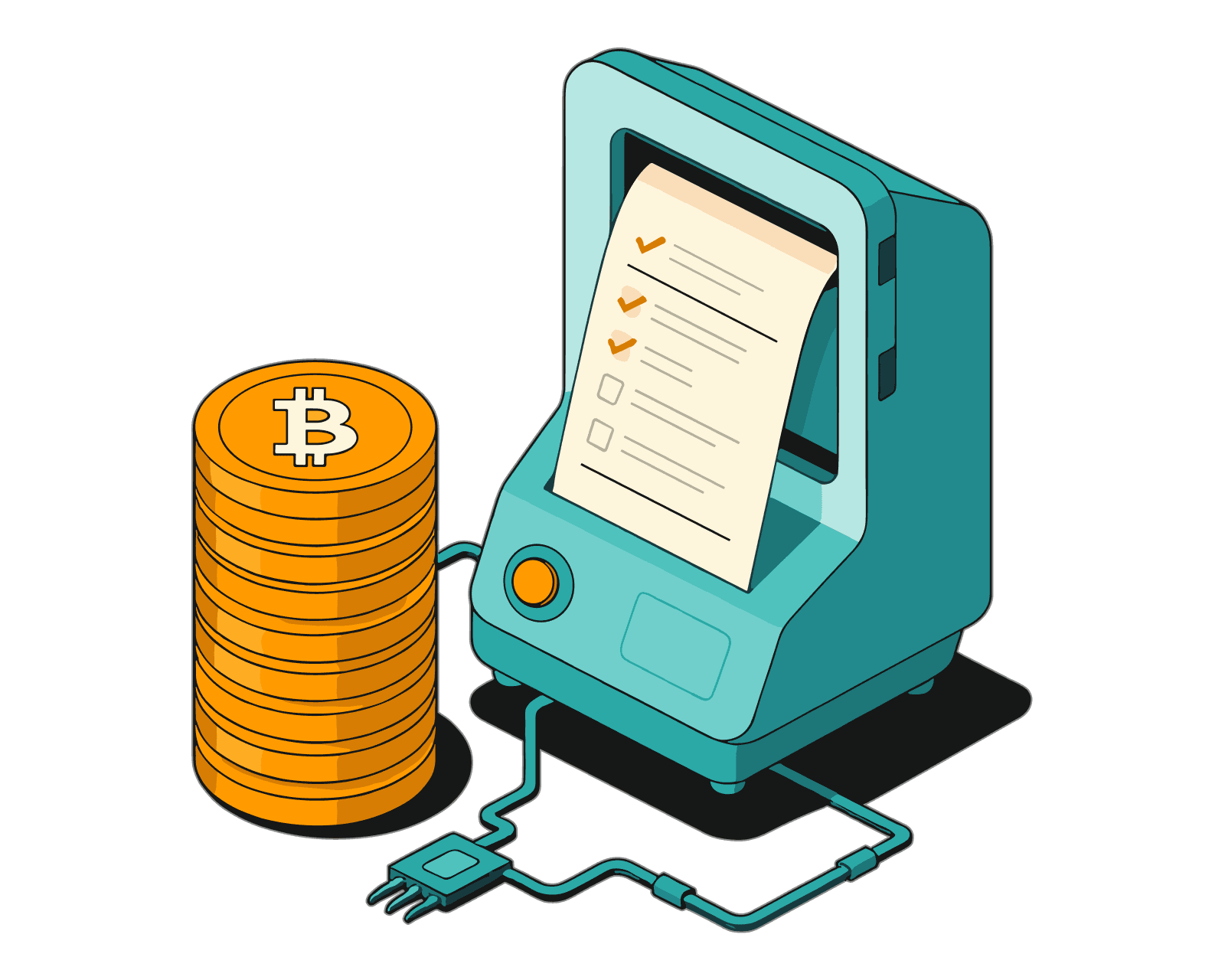
The answer is the bitcoin mempool. The bitcoin mempool, short for memory pool, is a temporary queue where valid but unconfirmed transactions wait to be picked up by a miner and added to the blockchain. Every transaction you send passes through it before it ever touches the permanent record.
This explains how the mempool works, why fees spike when it fills up, what actually happens to a low-fee transaction when the network gets congested, and what your options are if your transaction gets stuck.
Manage your Bitcoin securely with the self-custody Bitcoin.com Wallet app.
Key Takeaways
- The bitcoin mempool is a temporary holding area where valid but unconfirmed transactions wait to be included in a block by a miner
- There is no single global mempool. Every Bitcoin node maintains its own local copy, which is why different block explorers can show slightly different figures
- Miners pick transactions by fee rate (sat/vB), highest first, creating a real-time auction for block space
- When the mempool fills past its 300 MB default cap, the lowest fee-rate transactions get evicted, but they are not lost and can be rebroadcast
- If your transaction is stuck, Replace-By-Fee (RBF) lets the sender swap it for a higher-fee version; Child-Pays-For-Parent (CPFP) lets the recipient speed it up from their side
- As of May 2026, the mempool is quiet at 1 sat/vB, but conditions can shift within hours during market events or inscription activity
What Is the Bitcoin Mempool?
The bitcoin mempool is a data structure maintained by each Bitcoin node that holds valid transactions not yet confirmed on the blockchain.
The name comes from “memory pool.” Bitcoin memory pool is the full term, often shortened to mempool. That’s literal: the mempool lives in a node’s RAM, not on disk, and not on the blockchain. When a node restarts, its mempool clears. Any unconfirmed transactions have to be re-broadcast by wallets before they can be picked up again.
One thing that surprises most people: there is no single global mempool. Every node running Bitcoin software keeps its own local version. Each one may hold slightly different transactions depending on what it has received and what its policy settings allow. When the mempool size shown on mempool.space differs from what Blockchain.com displays, this is why.
The mempool exists because of a structural gap in how Bitcoin is designed. Blocks arrive roughly every 10 minutes, and each block can hold a limited amount of transaction data, around 4 million weight units, which works out to roughly 1 to 4 MB depending on transaction types. Demand for that space doesn’t pause between blocks. The mempool is the buffer that absorbs the difference between constant incoming demand and the fixed rhythm of block production.
A transaction enters the mempool after being validated by a node. It leaves in one of three ways: it gets confirmed in a block, it gets replaced by a higher-fee version via Replace-By-Fee (RBF), or it gets evicted when the mempool fills up and its fee rate falls below the minimum threshold.
How Does the Bitcoin Mempool Work?
Understanding how bitcoin transactions work starts here. Every transaction follows the same four-step path from your wallet to the blockchain, with the mempool sitting in the middle.
1. You broadcast a transaction
When you send bitcoin, your wallet constructs and signs the transaction, then broadcasts it to the Bitcoin nodes it’s connected to. From there, the transaction propagates peer-to-peer across the network, passing from node to node within seconds, the way a message spreads through a crowd.
2. Nodes validate and store it
Each receiving node runs the transaction through a series of checks: Are the signatures valid? Has this bitcoin already been spent elsewhere? Does the transaction format follow Bitcoin’s rules? Does it meet the node’s minimum relay fee, which defaults to 1 sat/vB (satoshi per virtual byte) in Bitcoin Core?
If it passes every check, the node adds the transaction to its local mempool and forwards it to connected peers. If it fails any check, the node drops it silently without notifying the sender.
3. Miners select transactions by fee rate
Miners scan their mempool and build a block template by selecting the transactions with the highest fee rates first. Fee rate is measured in satoshis per virtual byte (sat/vB), where a satoshi is one hundred-millionth of a bitcoin and a virtual byte is a unit of transaction size that accounts for the SegWit discount on signature data.
The logic is simple: miners are paid through the fees attached to every transaction they confirm, so they prioritize the transactions that pay the most per unit of block space. When demand is high, this creates a real-time fee auction. Users who want fast confirmation bid higher.
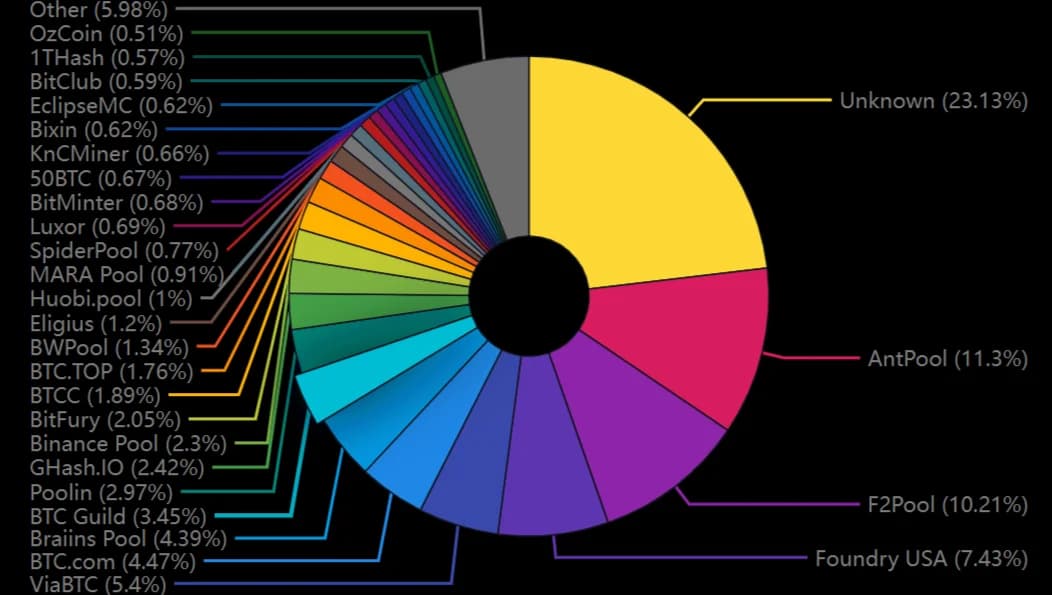 Top Bitcoin mining pools by blocks mined.
4. Confirmation or eviction
Once a miner includes a transaction in a block and that block is accepted by the network, the transaction is confirmed. It gets removed from all mempools and written permanently to the blockchain.
If the mempool fills up before a transaction is picked, something else happens. Bitcoin Core’s default mempool size cap is 300 MB. When incoming transactions push the mempool past that limit, nodes start evicting the lowest fee-rate transactions to make room. A transaction that gets evicted is not lost permanently. The sender’s wallet can rebroadcast it, ideally with a higher fee attached.
Understanding this process explains why bitcoin transaction confirmation times can range from minutes to days depending on current mempool congestion and the fee rate attached to the transaction.
Why Do Bitcoin Transaction Fees Spike?
Block space is Bitcoin’s scarcest resource. Each block holds a fixed maximum amount of transaction data, and a new block only arrives every 10 minutes on average. When more users want to transact than one block can accommodate, a backlog forms and users raise their fees to move up the queue.
Most of the time the mempool is calm, with fees sitting at or near the 1 sat/vB minimum. But several things have historically triggered sharp congestion spikes:
- Bull market activity: Higher prices drive more trading, exchange withdrawals, and on-chain movement, pushing the mempool to hundreds of megabytes within hours
- Ordinals and Runes inscriptions: Since the Ordinals protocol launched in January 2023, users have been embedding images, text, and token data directly into Bitcoin transactions using Taproot witness space. These are large transactions that compete with regular payments for block space. During peak inscription periods, fee rates have hit 100 to 500 sat/vB or higher
- Exchange batch withdrawals: Major exchanges consolidate customer withdrawals into batch transactions periodically. A large batch release during an already busy period can push fees up noticeably
- Spam and stress tests: Occasionally, coordinated waves of low-fee transactions flood the mempool, driving up confirmation times for everyone else
As of May 2026, the bitcoin mempool sits at approximately 179 MB with a recommended fee rate of 1 sat/vB across all priority tiers, a relatively quiet window by historical standards. That can shift within hours if market conditions change.
Timing matters. Mempool congestion tends to drop on weekends and during off-peak hours when trading activity in US and European markets slows down. Checking mempool.space before sending a non-urgent transaction is the simplest way to avoid paying peak fees.
Fee priority tiers
Priority levelTypical confirmation targetWhen to useHigh (next block)~10 minutesTime-sensitive payments, exchange deposits with deadlinesMedium1 to 3 hoursMost standard transactionsLowSeveral hours to a dayNon-urgent transfers where cost matters more than speedMinimum relay feeHours to days, or potential evictionUTXO consolidation during quiet periods onlyPriority levelHigh (next block)Typical confirmation target~10 minutesWhen to useTime-sensitive payments, exchange deposits with deadlinesPriority levelMediumTypical confirmation target1 to 3 hoursWhen to useMost standard transactionsPriority levelLowTypical confirmation targetSeveral hours to a dayWhen to useNon-urgent transfers where cost matters more than speedPriority levelMinimum relay feeTypical confirmation targetHours to days, or potential evictionWhen to useUTXO consolidation during quiet periods only
What to Do If Your Bitcoin Transaction Is Stuck
If your transaction has been unconfirmed for more than an hour, there are three options depending on your situation.
Replace-By-Fee (RBF)
Replace-By-Fee (RBF) lets you broadcast a replacement transaction for the same payment but with a higher fee. The replacement invalidates the original in the mempool, and miners now see a better-paying version to pick up instead.
RBF only works if the wallet that sent the original transaction had RBF enabled at the time of broadcast. Most modern self-custody wallets support this: Sparrow, Electrum, BlueWallet, and Bitcoin Core all enable RBF by default or offer it as an option. Most exchange-initiated withdrawals do not support RBF, which is why transactions sent from exchanges can be harder to speed up.
Child-Pays-For-Parent (CPFP)
Child-Pays-For-Parent (CPFP) is the alternative when RBF is not available, either because the original wallet didn’t enable it or because you’re the recipient of a stuck incoming payment you didn’t send yourself.
The mechanics: you create a new transaction (the “child”) that spends an output from the stuck transaction (the “parent”). You attach a fee high enough that the combined fee rate of both transactions together beats the current threshold for miners. Because a miner cannot confirm the child without first confirming the parent, the high child fee effectively pays for both.
CPFP requires that you control at least one output of the stuck transaction, either a change output or the payment you received. If no one controls an output, CPFP is not an option.
Wait, or use a mempool accelerator
If neither RBF nor CPFP is available, the practical options are to wait for congestion to clear or to use a mempool accelerator service. Mempool.space offers a Mempool Accelerator that allows anyone, including the recipient, to pay mining pools directly to prioritize a transaction without modifying the transaction itself.
RBF vs CPFP at a glance
Replace-By-Fee (RBF)Child-Pays-For-Parent (CPFP)Who can use itSender onlySender or recipientKey requirementRBF must have been enabled when the transaction was sentYou must control at least one output of the stuck transactionHow it worksBroadcasts a new transaction replacing the original, with a higher feeCreates a high-fee child transaction that incentivizes miners to confirm the parent alongside itBest forSender whose wallet supports RBFRecipient of a stuck incoming paymentCommon walletsSparrow, Electrum, BlueWallet, Bitcoin CoreAny wallet that can spend unconfirmed outputs Who can use itReplace-By-Fee (RBF)Sender onlyChild-Pays-For-Parent (CPFP)Sender or recipient Key requirementReplace-By-Fee (RBF)RBF must have been enabled when the transaction was sentChild-Pays-For-Parent (CPFP)You must control at least one output of the stuck transaction How it worksReplace-By-Fee (RBF)Broadcasts a new transaction replacing the original, with a higher feeChild-Pays-For-Parent (CPFP)Creates a high-fee child transaction that incentivizes miners to confirm the parent alongside it Best forReplace-By-Fee (RBF)Sender whose wallet supports RBFChild-Pays-For-Parent (CPFP)Recipient of a stuck incoming payment Common walletsReplace-By-Fee (RBF)Sparrow, Electrum, BlueWallet, Bitcoin CoreChild-Pays-For-Parent (CPFP)Any wallet that can spend unconfirmed outputs
Conclusion
The bitcoin mempool is the staging area that every transaction passes through on its way to the blockchain. Each node holds its own local copy, fees determine how quickly transactions move through it, and congestion spikes are a normal part of how Bitcoin’s fee market works.
As of mid-2026, conditions are calm, with fees at the 1 sat/vB floor. That won’t always be the case. Understanding the mempool means you can read the conditions, set a fee that fits your urgency, and know exactly what to do if something gets stuck.