
You can trade Bitcoin.com’s ecosystem token VERSE in the Bitcoin.com Wallet, via Bitcoin.com’s decentralized exchange Verse DEX, or on a number of third-party exchanges.
Trading VERSE with the Bitcoin.com Wallet
You can use the self-custody wallet app trusted by millions to swap Bitcoin.com’s ecosystem token VERSE for cryptocurrencies like BTC, BCH, ETH, AVAX, and MATIC – and over a hundred others. Set up your swap in a few taps, receive your tokens seconds later, and hold them in your own wallet, the way crypto was meant to be.
Here’s how easy it is to swap in the Bitcoin.com Wallet:
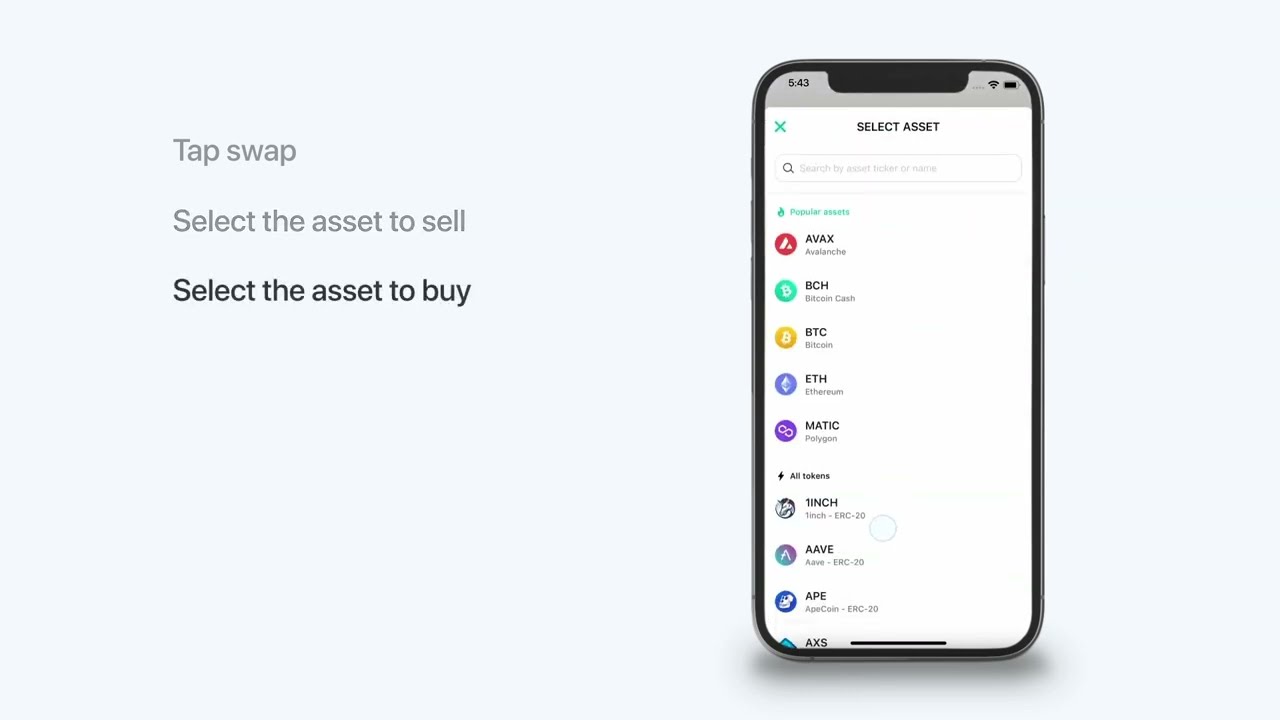
Step-by-step instructions:
- From the home screen tap Swap.
- Select the asset you want to sell (VERSE).
- Select the asset you want to buy (eg. BTC).
- Enter the amount to swap (eg. 10,000 VERSE) and tap Review.
- Slide the arrow to confirm.
Trading VERSE on the Verse DEX
Use Bitcoin.com’s decentralized exchange Verse DEX to swap into and out of Bitcoin.com’s ecosystem token VERSE. Manage the transaction and hold cryptocurrencies in your favorite web3 wallet, such as the multichain Bitcoin.com Wallet. Here’s how it works:
- Go to https://verse.bitcoin.com and connect your wallet (eg. connect your Bitcoin.com Wallet).
- Select the asset you want to sell (VERSE).
- Select the asset you want to buy (eg. ETH).
- Tap Swap Preview.
- Review and approve the swap via your wallet.
You’re done! Once the transaction is processed on the blockchain, your holdings will be updated in your wallet interface.
Trading VERSE on third-party exchanges
Bitcoin.com’s ecosystem token VERSE is available on a number of third-party exchanges. At the time of writing, these include:
- Sushiswap
- 1inch
- Paraswap
- OpenOcean