Are you ready to challenge cryptocurrency trading? Bybit is a popular exchange that makes trading easy. This guide explains the Bybit registration process step by step. Additionally, you can receive exclusive bonuses by using our special link!
Why choose Bybit?
Bybit is a great choice for several reasons:
- Easy to use: A platform familiar to both beginners and experienced traders.
- High liquidity: Supports fast trading with minimal delays.
- Advanced features: Access to tools like leverage and various order types.
Review: Binance vs Bybit: Which Crypto Exchange is Better in 2024?
Step 1: Visit the Bybit website
First, visit www.bybit.com.
Step 2: Click “Sign Up”
On the homepage, find and click the “Sign Up” button in the top right corner.
Step 3: Choose a registration method
You can register using one of the following methods:
- Email: Enter your email and create a strong password. Use a mix of letters, numbers, and symbols.
- Phone number: Select your country code, enter your phone number, and then create a password.
- Referral code: G7NLBY2 — receive a welcome reward of up to $5,020, and an additional $1,025 reward through the referral link for a total of up to $6,045.
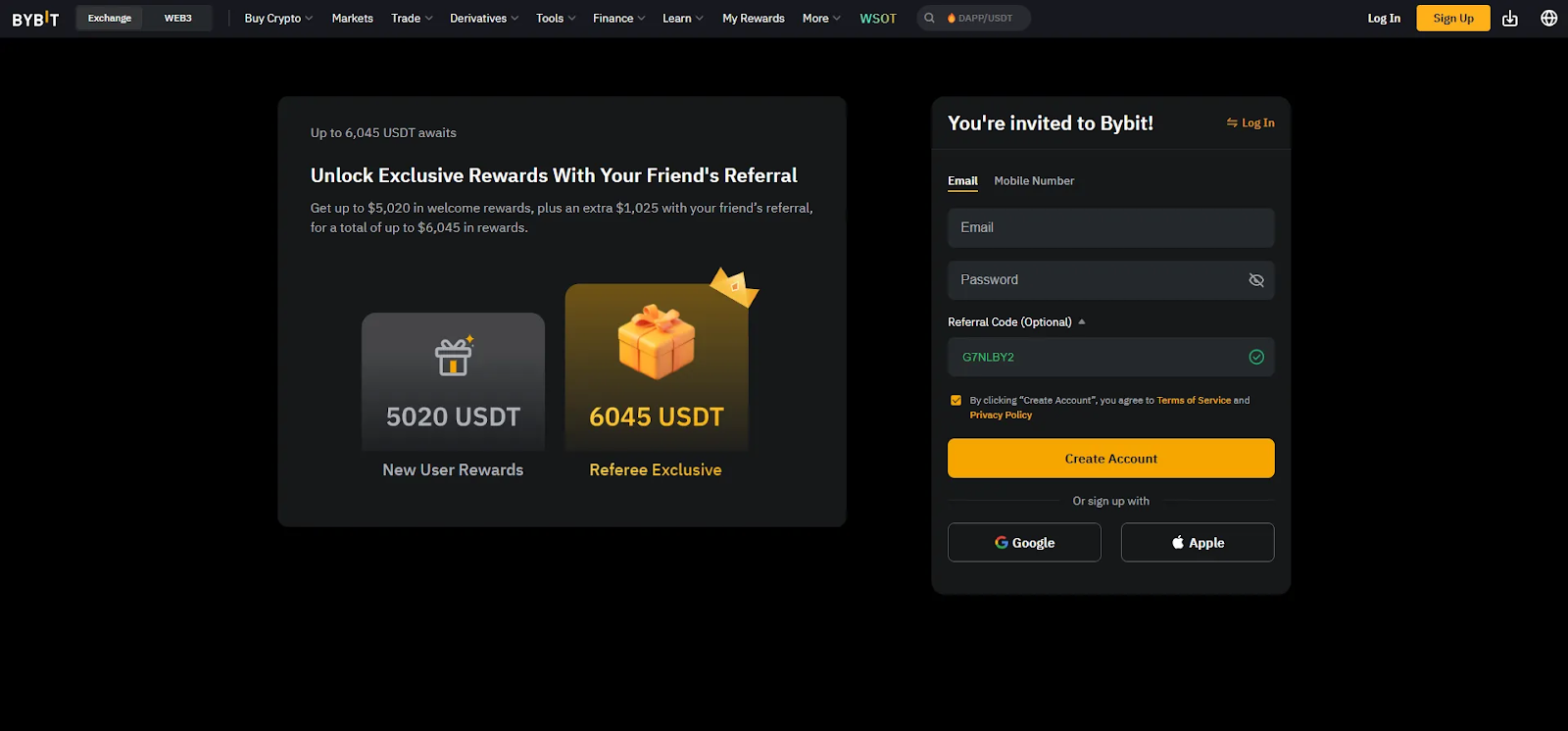
Step 4: Verify information
After entering your information, Bybit will send a verification code via email or SMS. Check your inbox or messages for the code and enter it on the Bybit site.
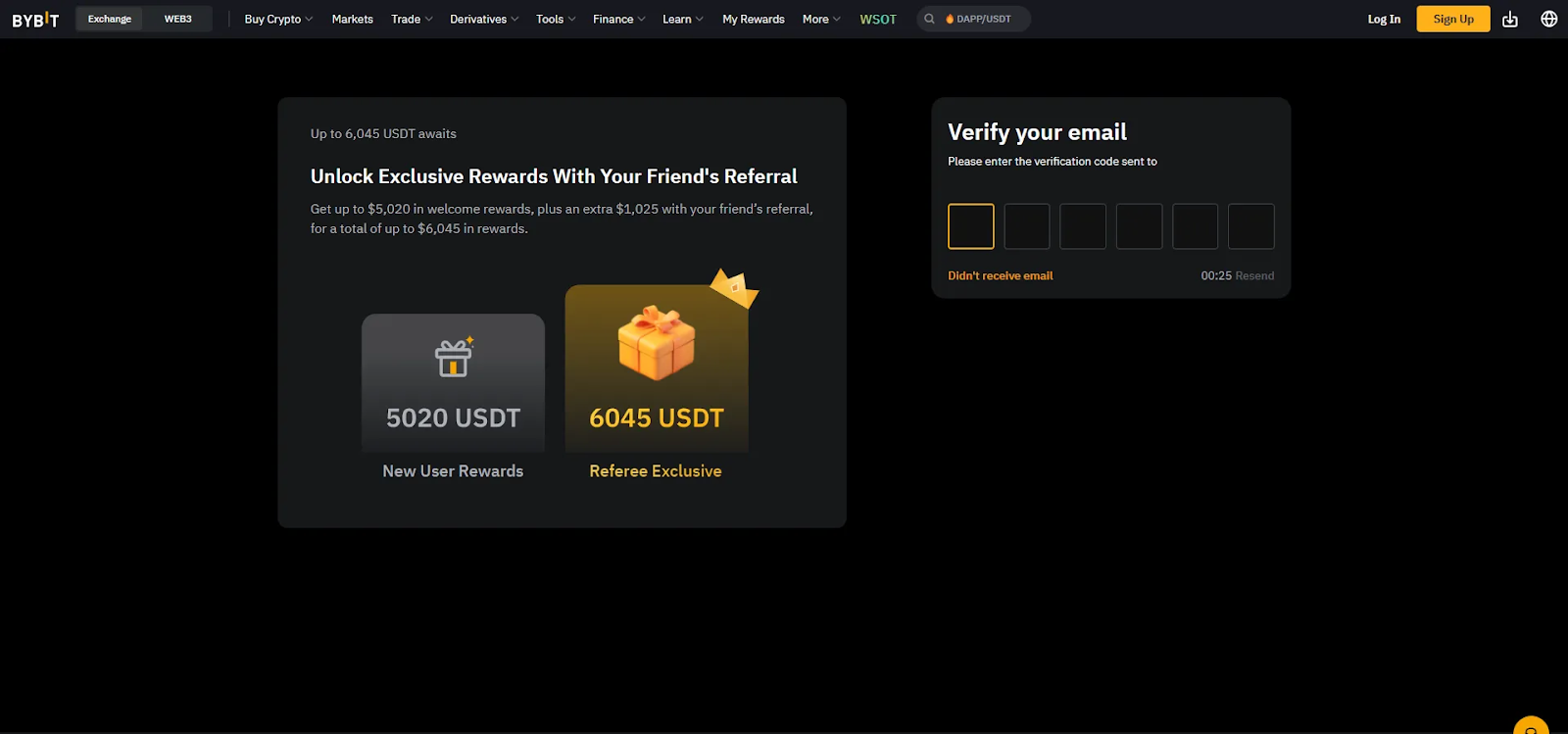
Step 5: Set up 2-step verification (2FA) — optional
2FA is optional, but it is recommended to set it up for added security. You can use apps like Google Authenticator or SMS verification.
- Click the icon in the top right corner of the page
- Select “Account and Security”
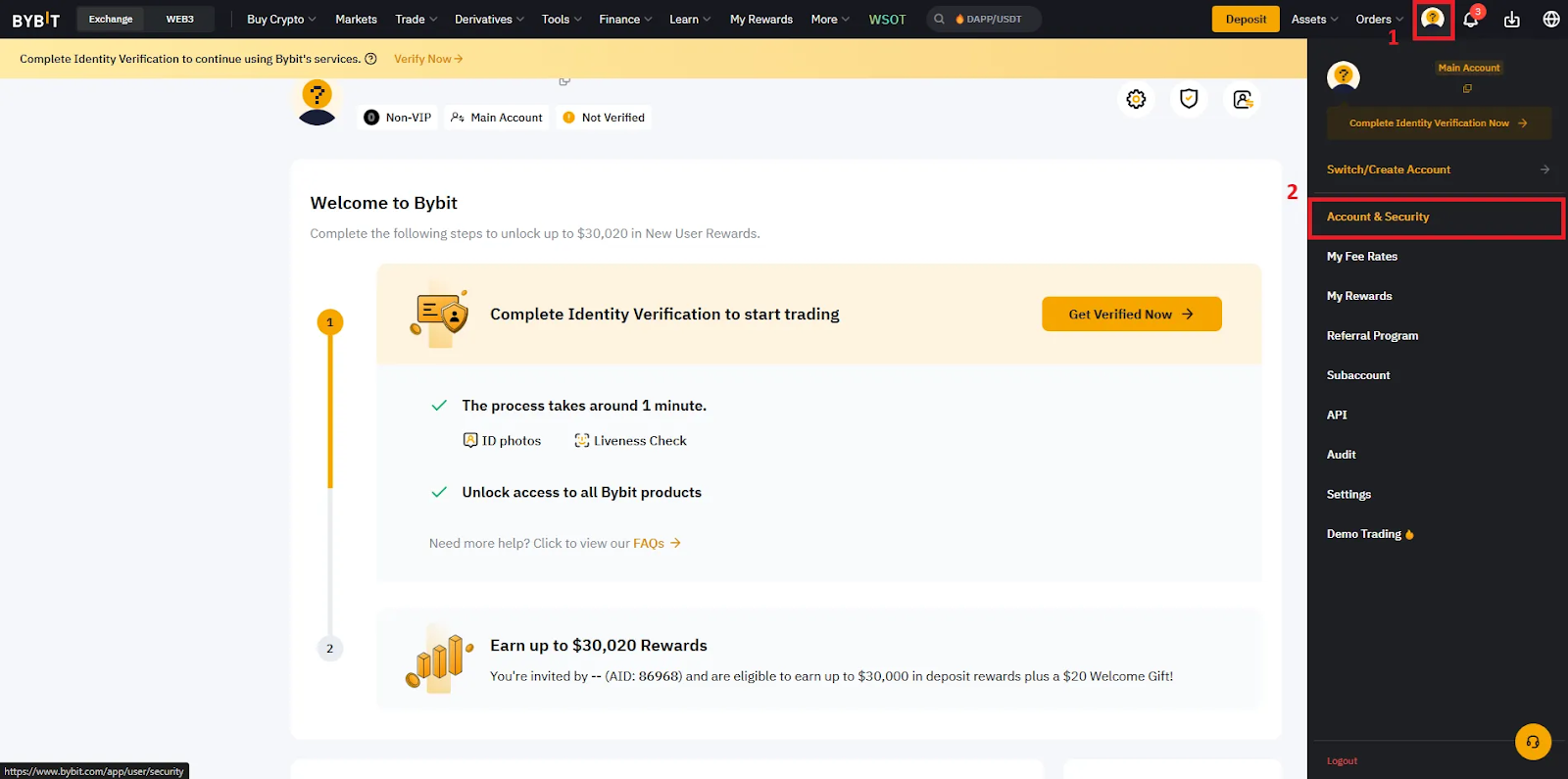
- Select Google 2-step verification in the “Advanced Protection” section
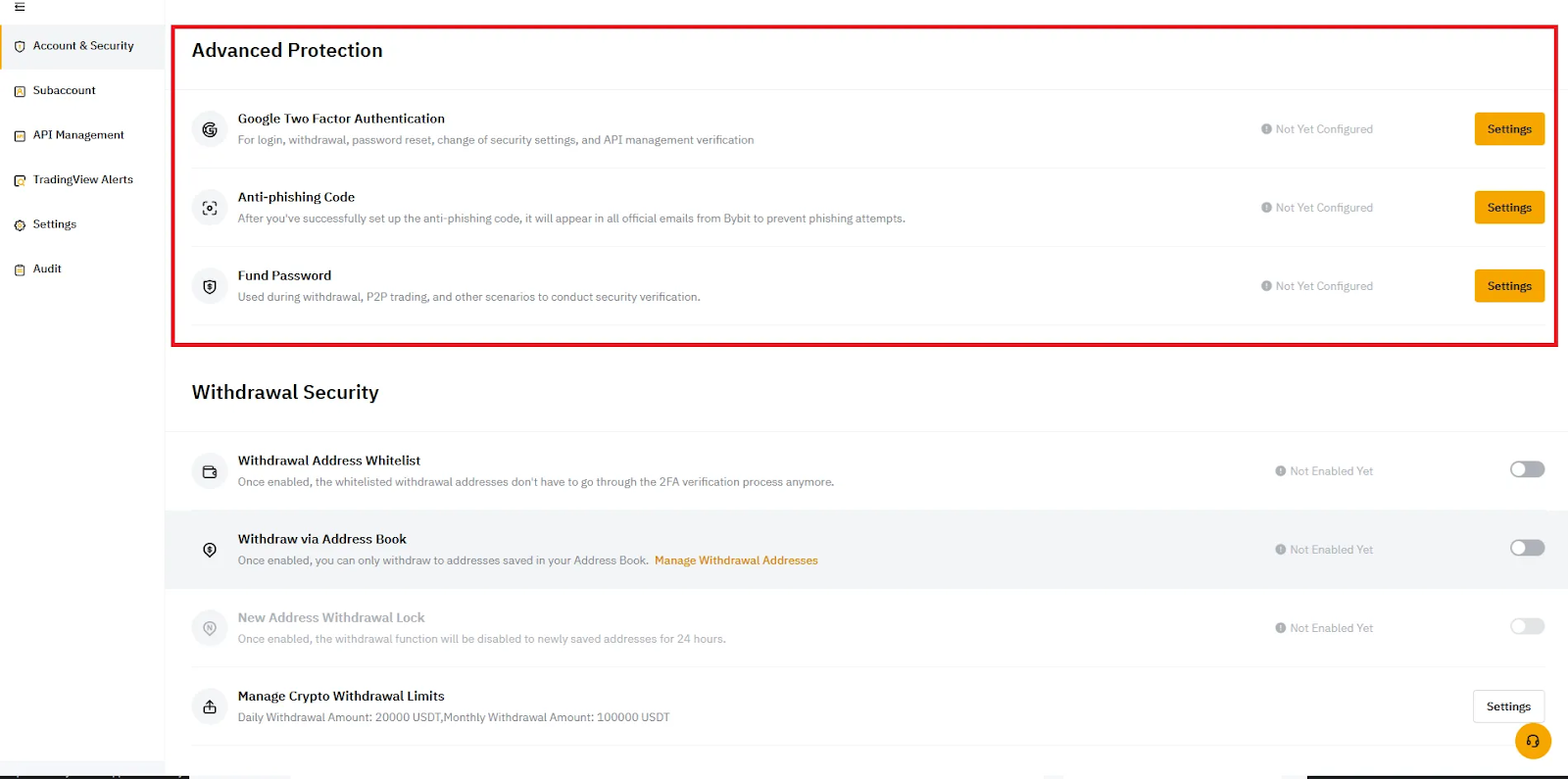
- Click “Settings” and verify the authentication code via email, then scan the QR code and enter the code displayed in the Google Authenticator app. Now, Google 2-step verification will be used when logging in, withdrawing, resetting passwords, changing security settings, and managing APIs.
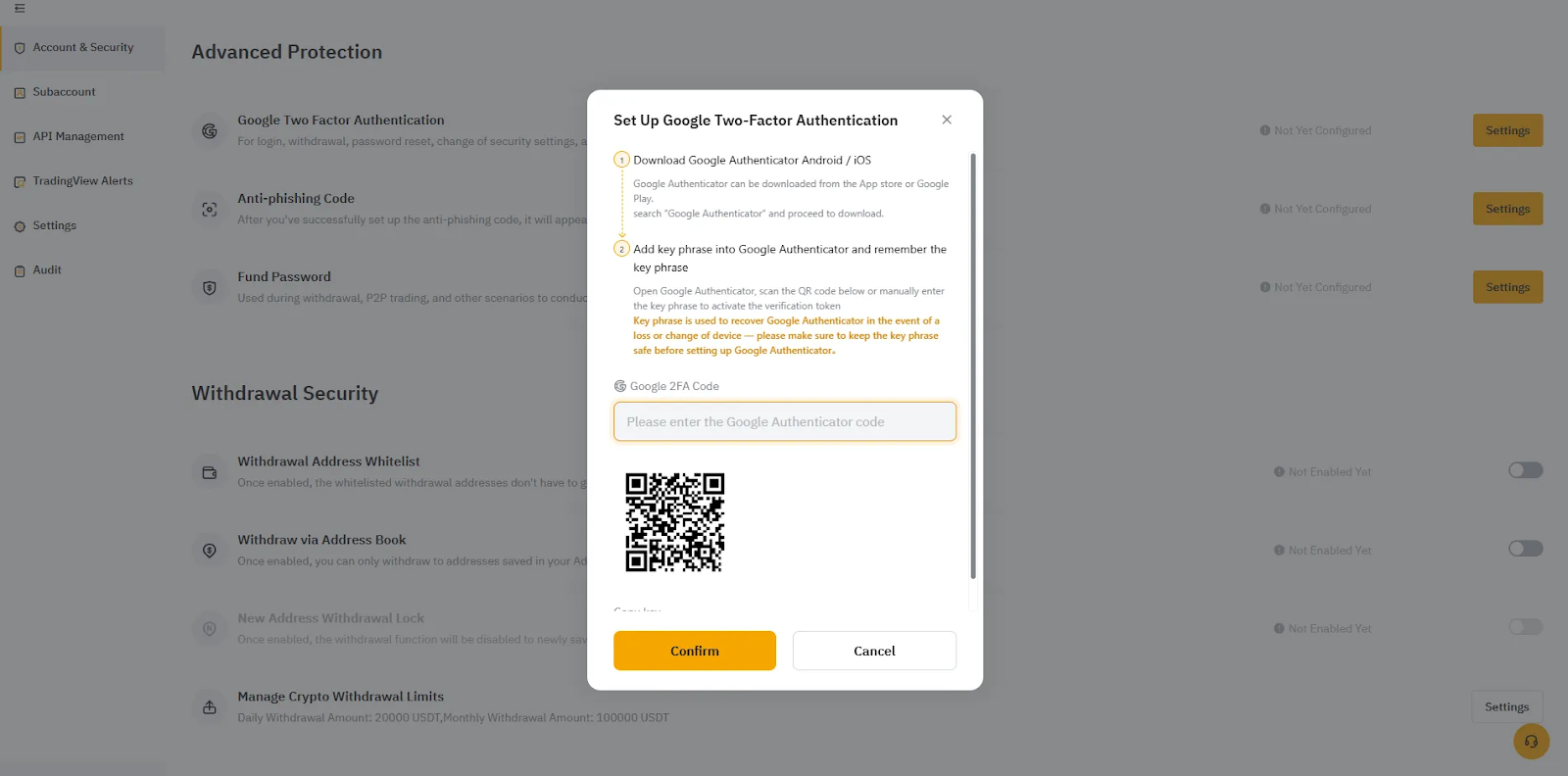
Step 6: KYC verification (optional)
You do not need to complete KYC verification for basic trading. However, you may need identity verification documents to withdraw large amounts. KYC verification is required to receive welcome rewards. Follow these steps:
- Click the profile icon in the top right corner of the screen
- Click the “Verify Now” button
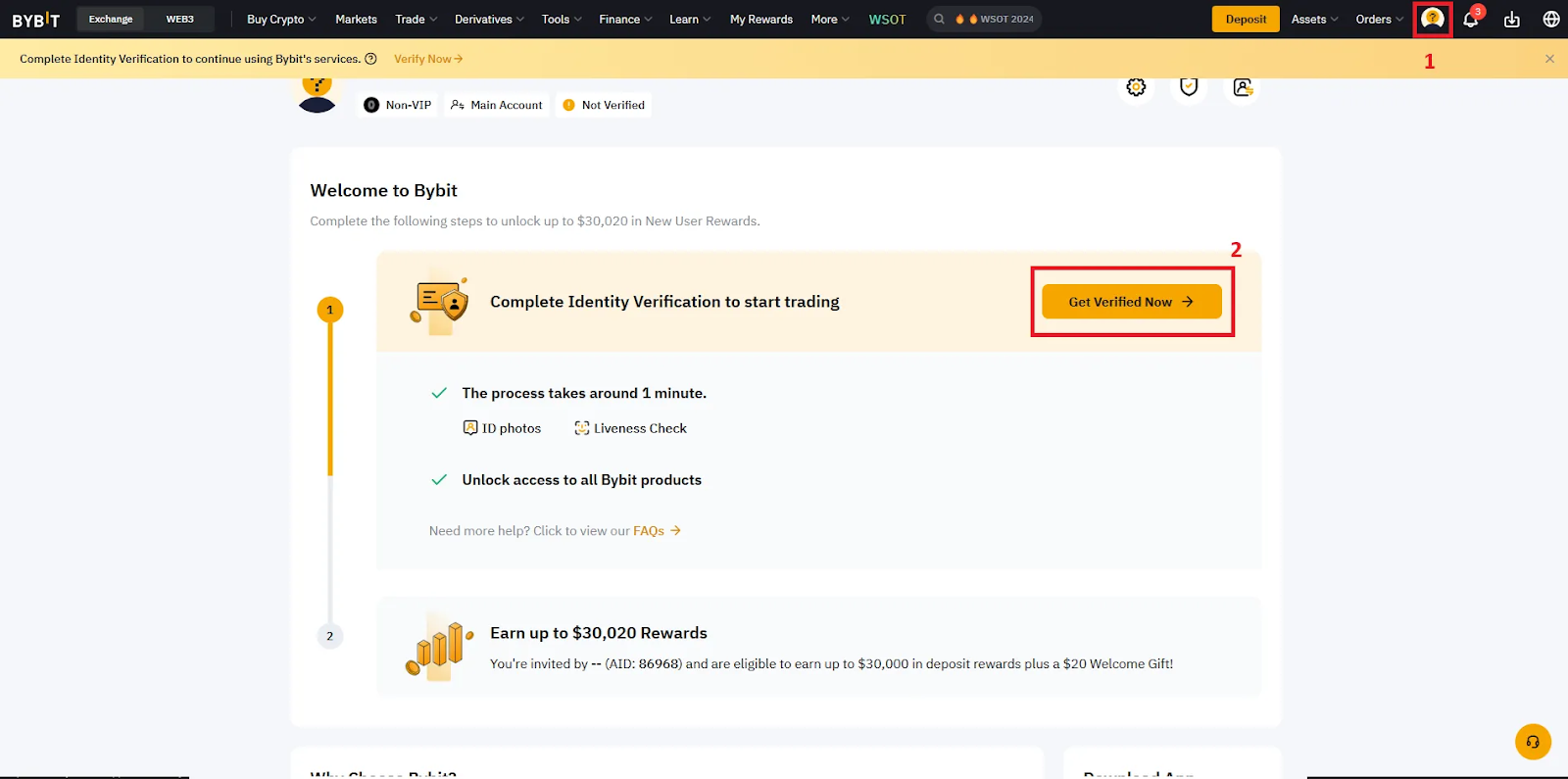
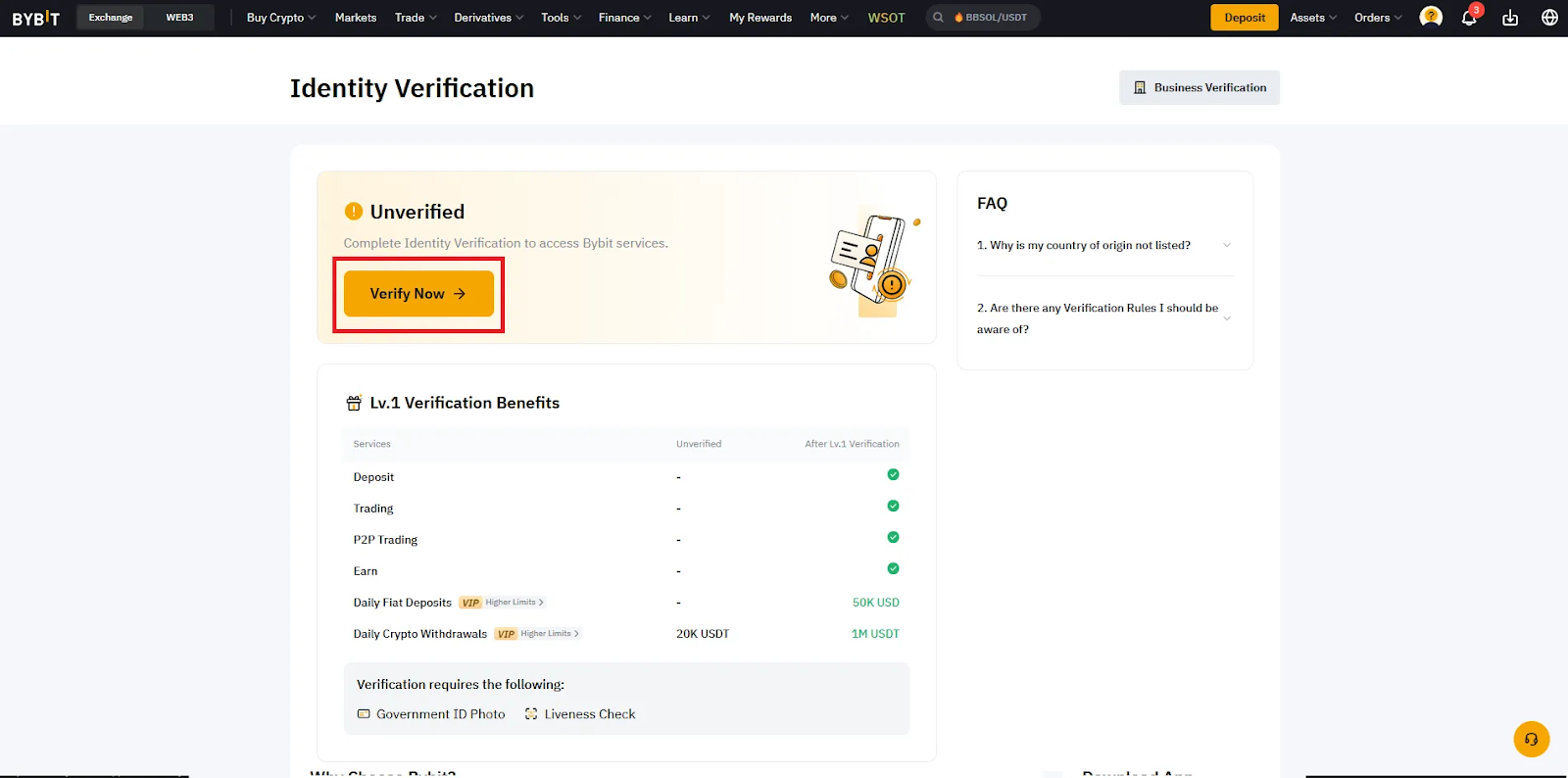
- Select your country (if not automatically selected)
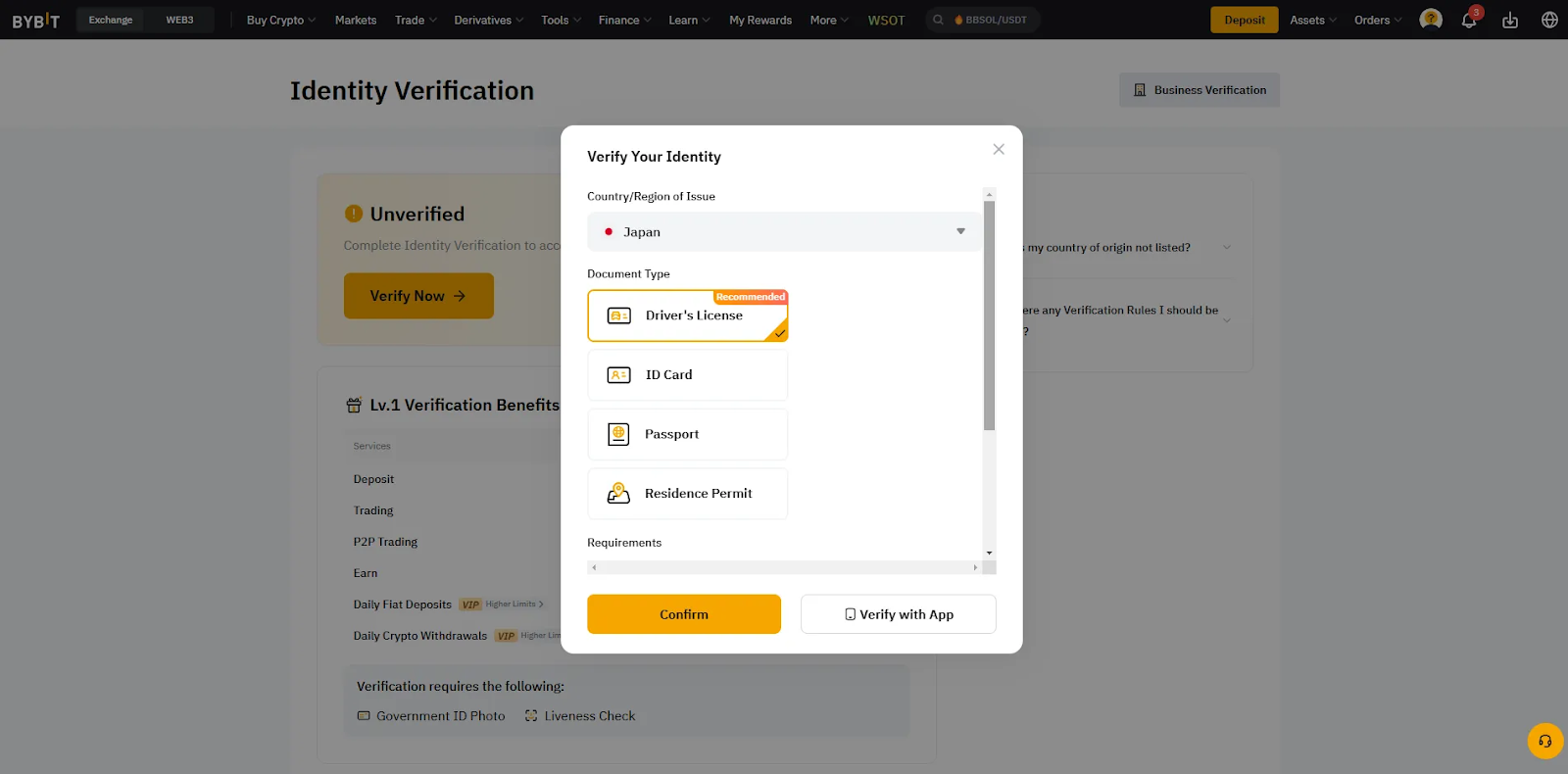
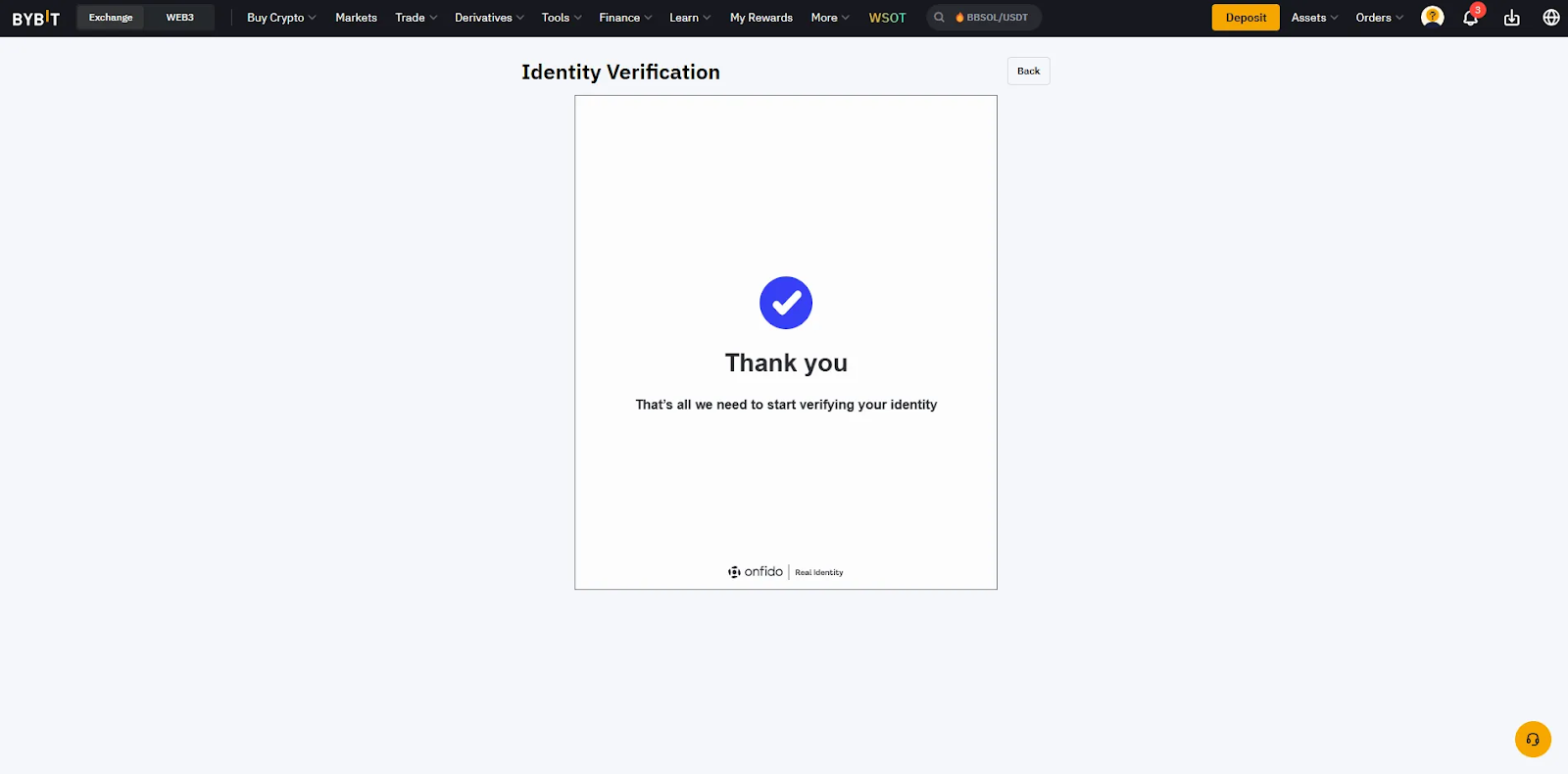
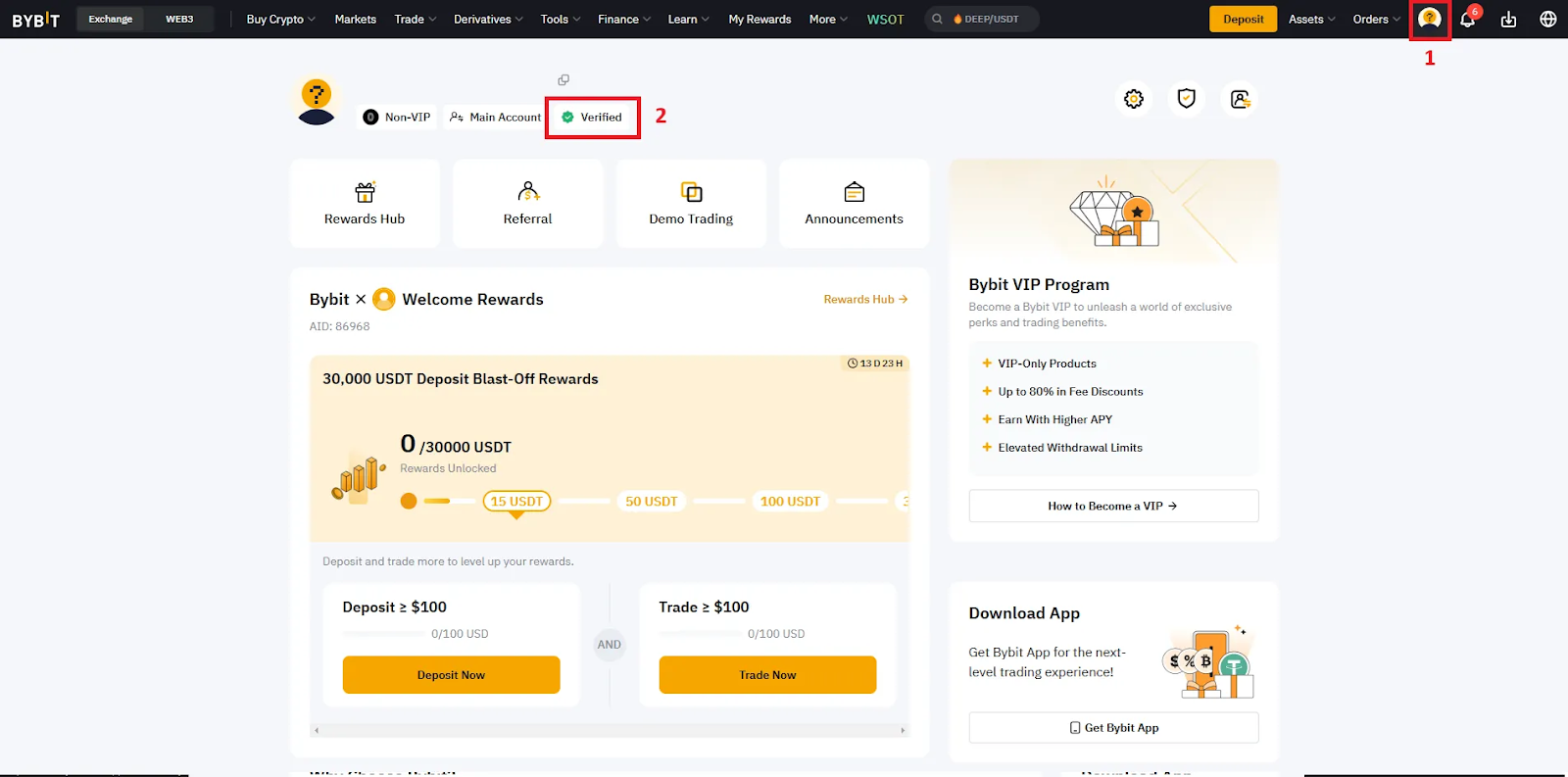
- Follow Bybit’s easy verification process. (Mobile phone required) After a short time, you can check the verification status via email. Once verification is successfully completed, you will see a “Verified” badge on your profile icon.
- After verification, go to the “Reward Hub” to claim your welcome bonus. You can also check for other “tasks” to receive additional rewards on this page.
Step 7: Deposit funds
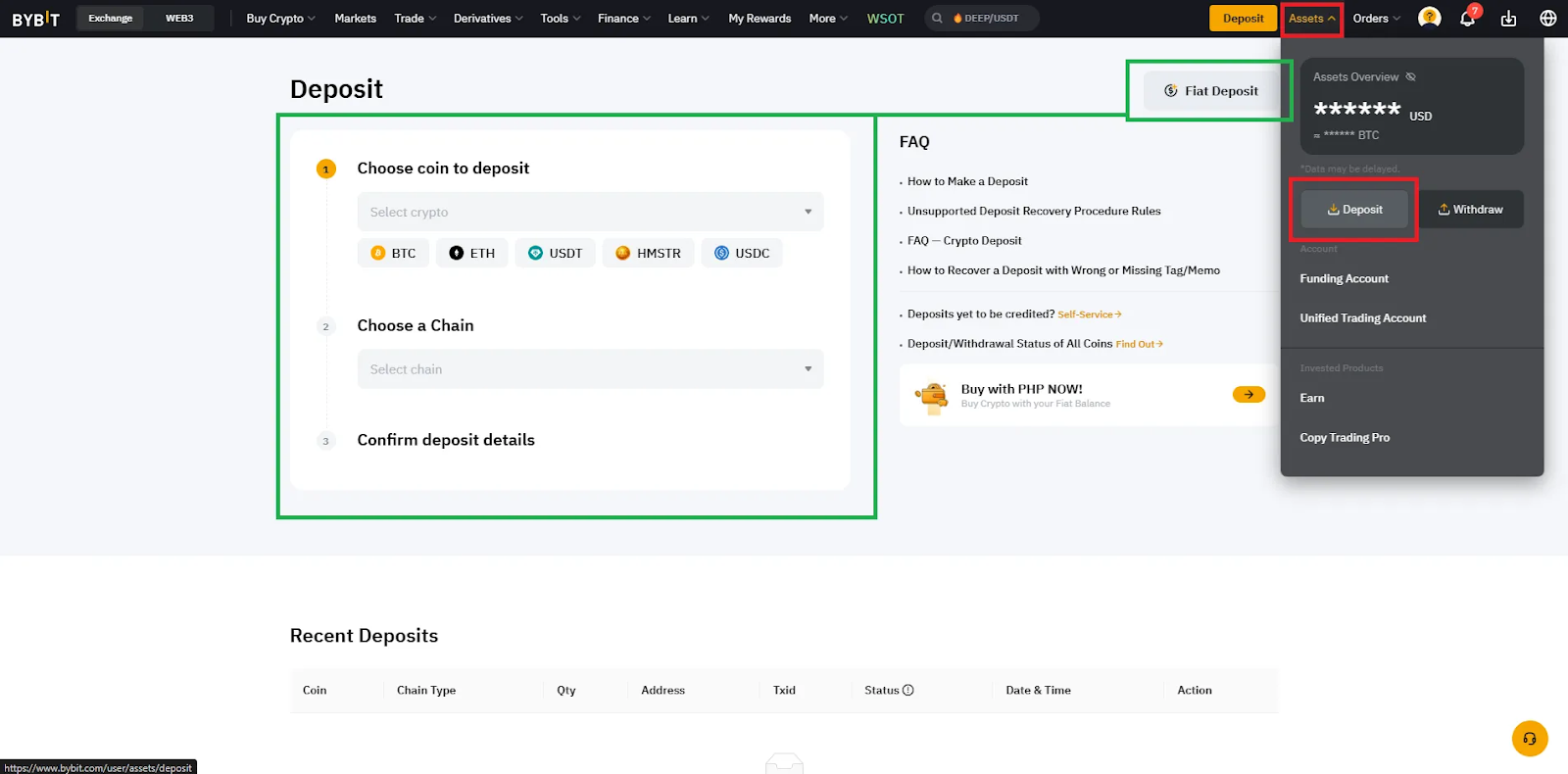
It’s now time to add funds to your account. Bybit supports various cryptocurrencies such as Bitcoin (BTC) and Ethereum (ETH). Go to the “Assets” section and click “Deposit.”
- Cryptocurrency deposit: Click the green box
- Fiat deposit: Such as EUR or USD
Step 8: Start trading
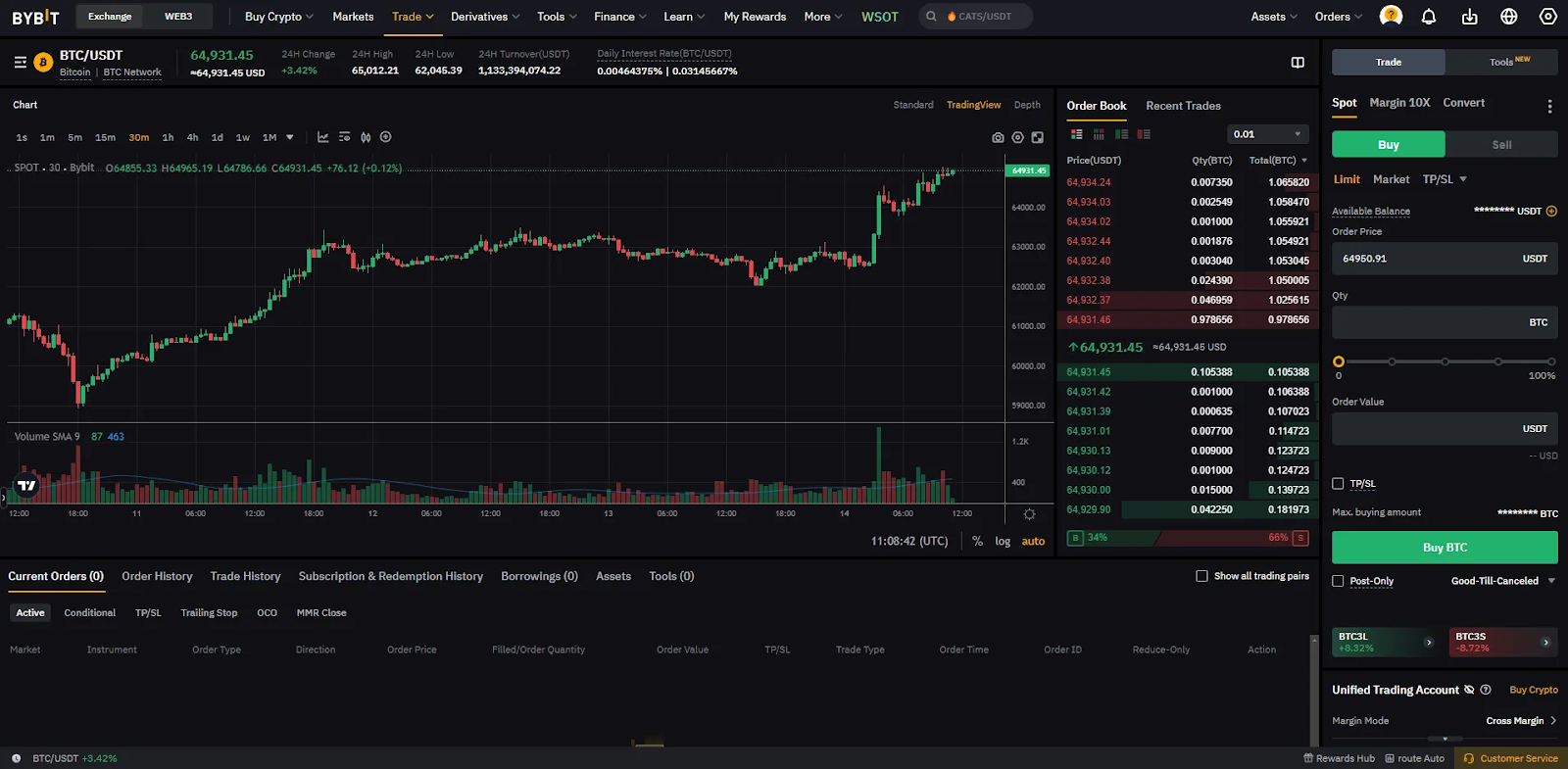
Once you have deposited funds into your account, you can start trading! Explore the platform and learn about the various order types and tools available.
Registering on Bybit is easy and quick. Follow the steps and use our link to receive special bonuses. Also, activate 2-step verification to enhance your security. Wishing you successful trading!

![How to Use edgeX (エッジエックス) | Explanation of Registration, Deposits, Withdrawals, and Trading Methods [Latest 2025] 1](https://livecryptomarketcap.com/wp-content/uploads/2026/03/how-to-use-edgex-e382a8e38383e382b8e382a8e38383e382afe382b9-explanation-of-registration-deposits-withdrawals-and-trading-methods-latest-2025-1.webp)